

WANT TO SEE YOUR WHOLE INSTAGRAM FEED
WITHOUT REBUILDING IT IN CANVA....
This is gonna be your new FAVE system
SET UP IN 10 MINUTES
✦
A GRID FOR EVERY CLIENT
✦
WORKS ON FREE NOTION
✦
SET UP IN 10 MINUTES ✦ A GRID FOR EVERY CLIENT ✦ WORKS ON FREE NOTION ✦
If you plan content in Notion BUT...
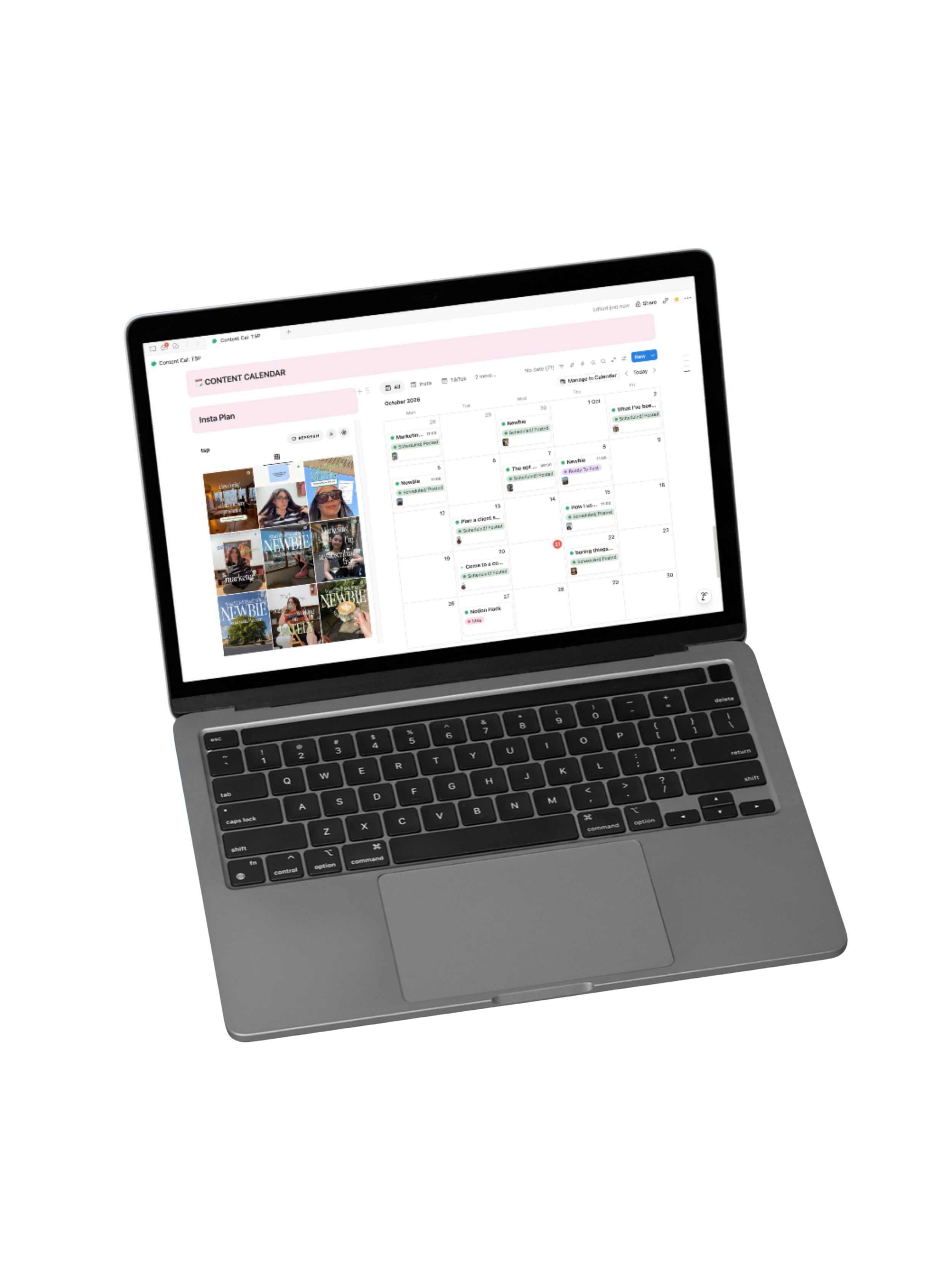
See every feed you manage, all inside Notion
A grid for your brand.
A grid for each of your clients.
Every one updated itself from it’s Notion calendar.
-
![]()
Smart Warehouse Retrofit
-
![]()
Municipal Water Monitoring
-
![]()
Renewable Microgrid Design
-
![]()
Retail Demand Forecasting



The Problem
You plan in Notion. You design in Canva. Then you build a feed preview in Canva just to check it all looks right, and rebuild it every time one post changes.
There's a better way.
£10
Just the feed preview
Text
£10
Full calendar set-up with feed prev
Text
Questions? I’ve got you!!!
-
A live Instagram grid preview that sits right inside your Notion content calendar. It shows you exactly how your grid will look before you post, without Canva.
-
Not for your grid preview! Keep using Canva to design your posts if you like it, but you’ll never need to mock up your grid or embed links again.
-
Nope. You’ll get the widget at a special price as a thank you for being here first. Your code lands on launch day.
-
I’ll be relaunching my Notion calendar 2.0, which includes this new automated IG feed.
-
No, it works on Notion’s free plan.
-
Yes! It comes with a step-by-step tutorial on how to setup the IG feed automation.
-
Yes, you’ll have to duplicate it for each client. But step-by-step setup instructions + videos are provided. Won’t take you more than 10 mins.
Is this for me?
You plan content in Notion
You manage client feeds
You’re tired of Canva mock-ups
You want it simple
Yes it is!
You want a scheduling or posting tool
You don’t use Notion
You love rebuilding mock-ups