

If you plan content in Notion BUT you
want to see your whole Instagram Feed without rebuilding it in Canva…
This is gonna be your new FAVE system
SET UP IN 10 MINUTES
✦
A GRID FOR EVERY CLIENT
✦
WORKS ON FREE NOTION
✦
SET UP IN 10 MINUTES ✦ A GRID FOR EVERY CLIENT ✦ WORKS ON FREE NOTION ✦
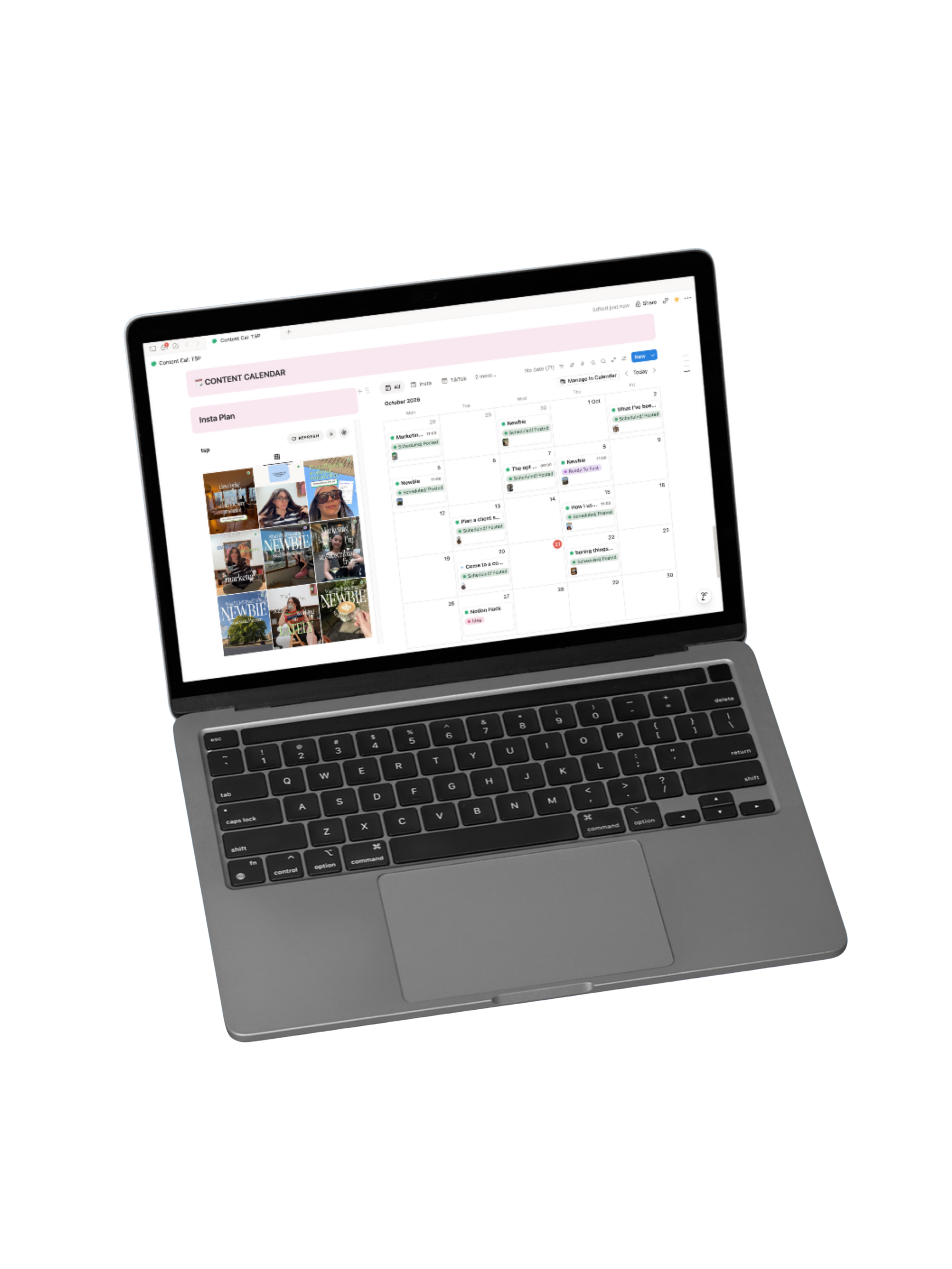
I’m over designing Insta Grids in Canva, and I can’t be the only one.
I’m a Notion girl through and through. It’s where I plan ALL my content, for me and for my clients.
The annoying bit was building a feed in Canva just to see how the posts would look once they were live. Then one thing changed in the plan and I had to redo the whole grid.
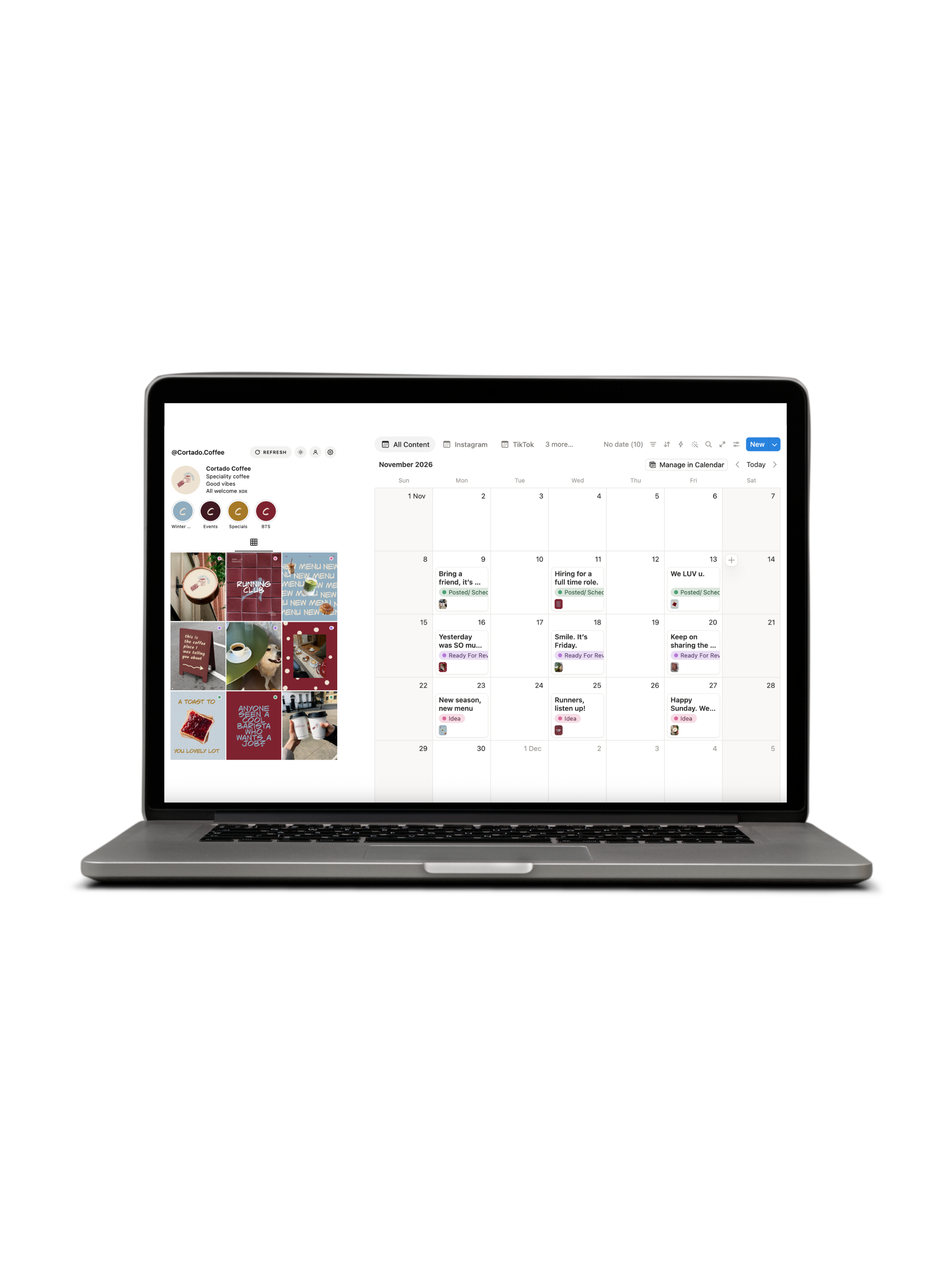
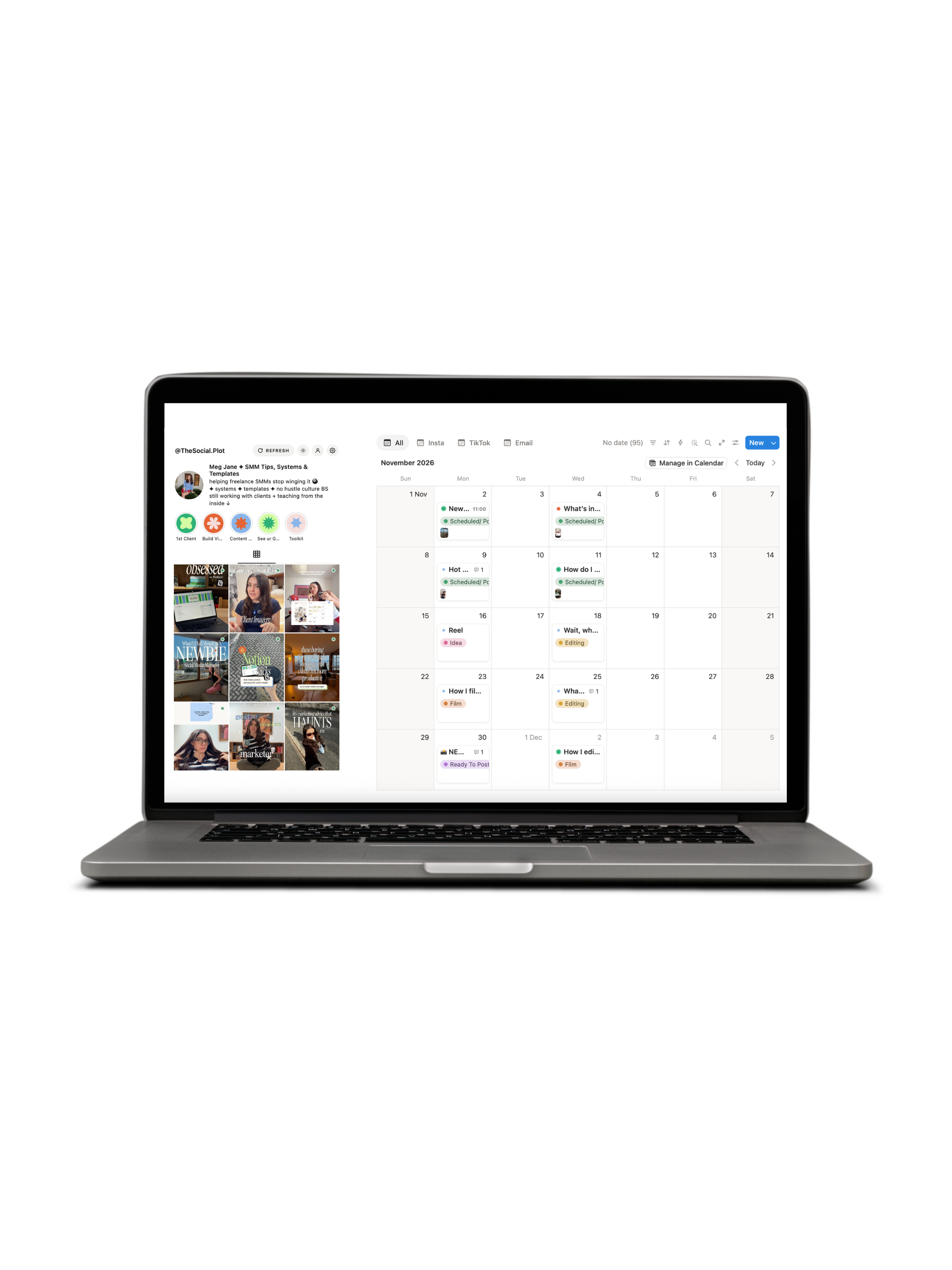
Those days are BEHIND ME. I built a widget that pulls your Instagram grid straight from your Notion content plan, so the preview is always up to date.
AND as a social media manager, it had to work for my clients’ content plans too. So it does.
How it works
About 10 minutes to set up, once. There’s a guide and a video for every step.
01: Upload
Drag the widget file into Netlify (free), and you get your own link.
02: Connect
Paste in your Notion calendar link and you’re linked up.
03: Embed
Pop the link into Notion, right next to your calendar.
04: Refresh
Add a cover image to a post, hit Refresh, and it’s on the grid.

What do you get?
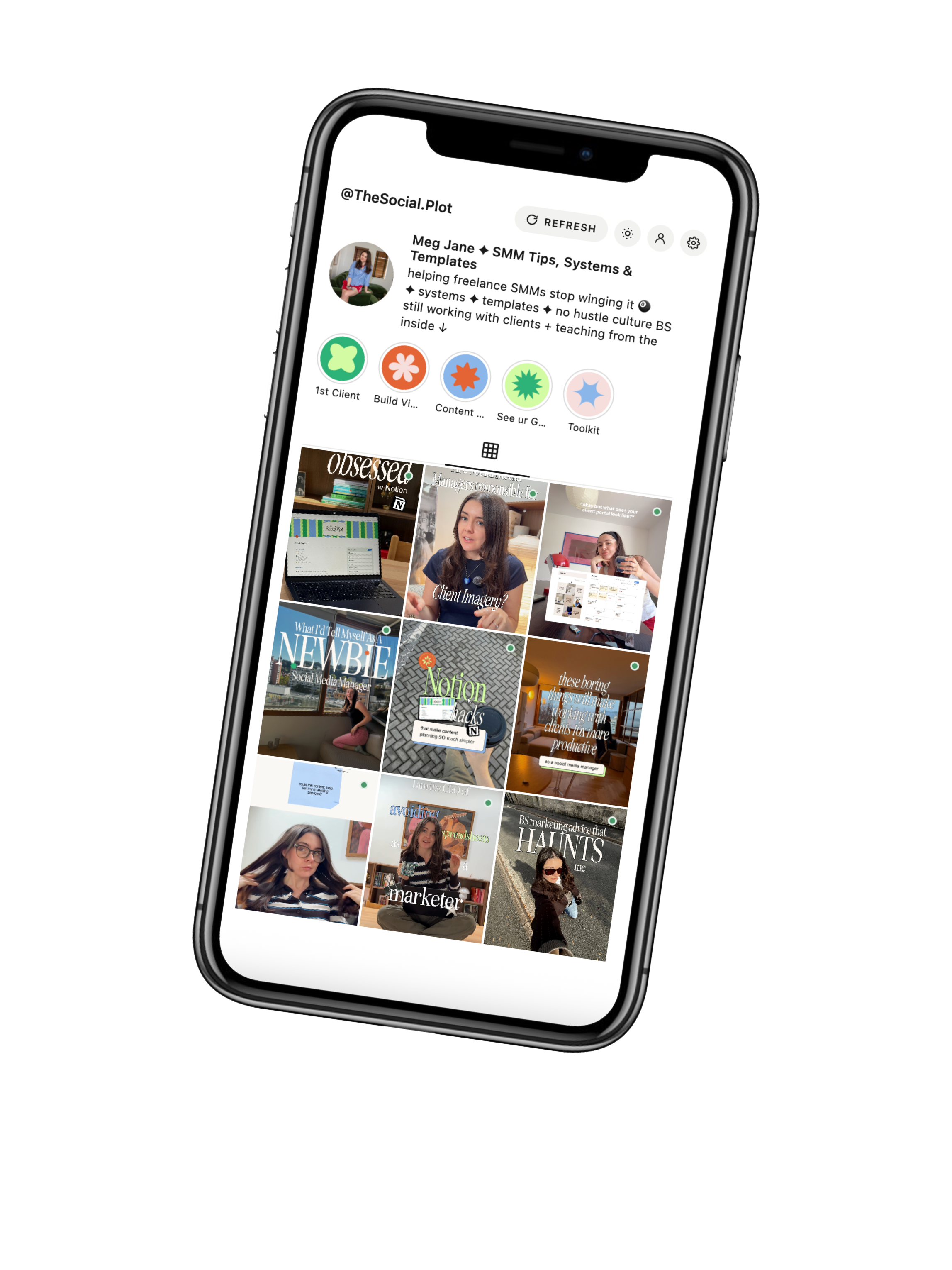
Your whole Instagram grid, right next to your Notion content plan
A grid that updates straight from your content calendar
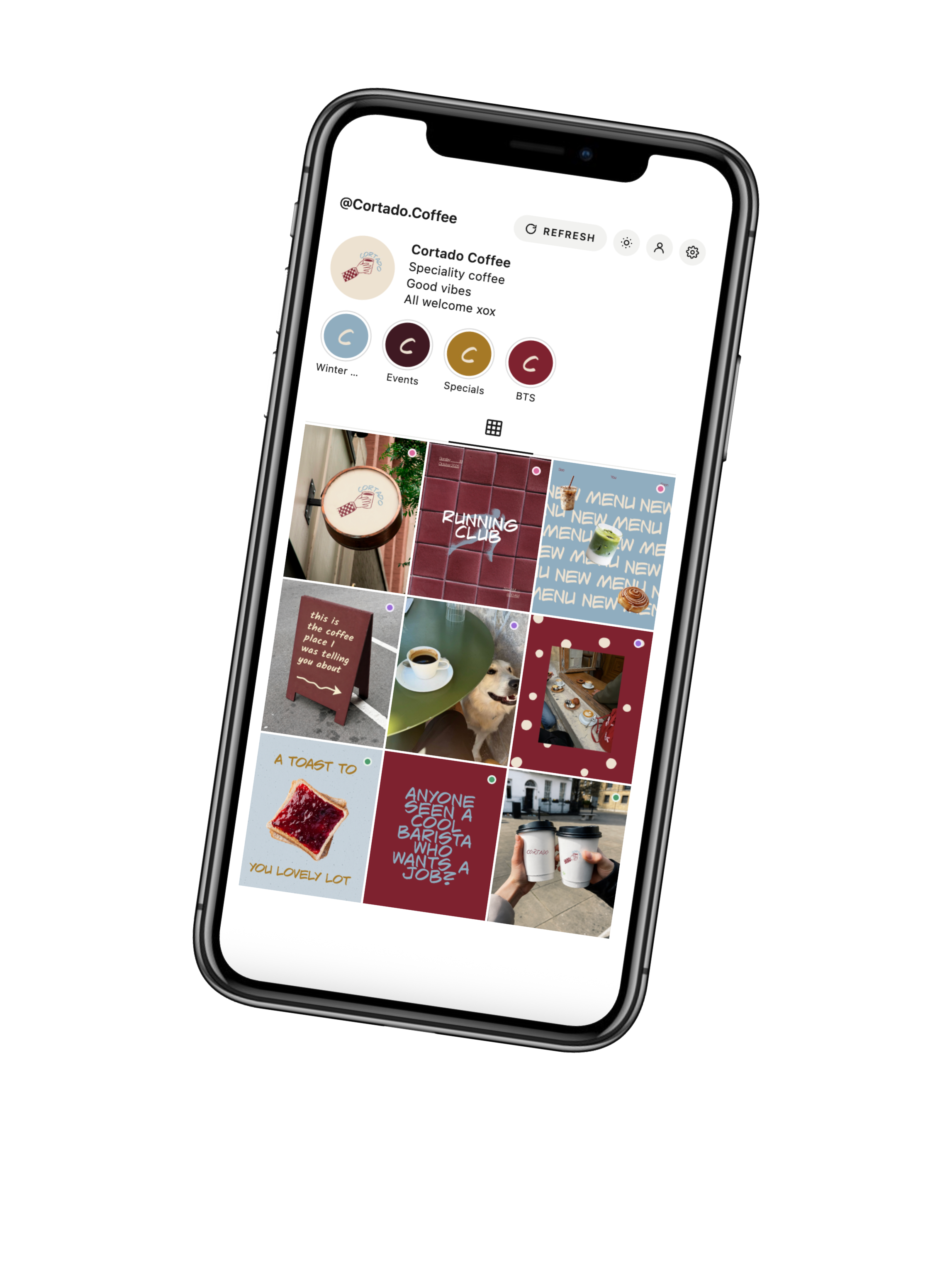
Profile photo, name and bio, so it looks like the real profile
Highlights, shown above the grid
Up to 3 pinned posts, each one switched on or off
An optional 4th row, so you can preview 12 posts instead of 9
A separate grid for every client calendar
Widget works with my content calendar setup or your own
Light and dark mode
A Refresh button, so your grid’s always up to date
A written guide with a video for every step
Works on free Notion
£15
Insta Grid only
Ideal for people who already have a Notion content calendar they love but want to upgrade how they mock up the Insta Feed.
Works with my content calendar OR your own
A grid for you and each of your clients
Guide and videos for every step
No code, no paid tools
£39
Content Calendar + Insta Grid
My full content calendar with the feed preview built in. It’s the exact setup I use with my clients.
The calendar loved by 2,000+ social media managers
Feed preview widget included
Built for planning your own content AND your clients’
Guide and videos for everything
Questions? I’ve got you!!!
-
A live Instagram grid preview that sits right inside your Notion content calendar. It shows you exactly how your grid will look before you post, without Canva.
-
Not for your grid preview! Keep using Canva to design your posts if you like it, but you’ll never need to mock up your grid or embed links again.
-
Nope. You’ll get the widget at a special price as a thank you for being here first. Your code lands on launch day.
-
I’ll be relaunching my Notion calendar 2.0, which includes this new automated IG feed.
-
No, it works on Notion’s free plan.
-
Yes! It comes with a step-by-step tutorial on how to setup the IG feed automation.
-
Yes, you’ll have to duplicate it for each client. But step-by-step setup instructions + videos are provided. Won’t take you more than 10 mins.
-
None. Netlify and Notion are both free for this.
-
Hit Refresh. Anything in your calendar with a cover image shows up.
-
Email meg@thesocialplot.co.uk and I’ll help you out.